Feature details and benefits
Service workflow
A service record carries the bike from scheduled, through check-in and scoping, into work, waiting on parts, ready and picked up. Each stage shows only what matters at that moment: the customer's request, the work list being built, what has been ticked off, and what is still outstanding. Multi-bike jobs keep a per-bike stage so one bike being held for a part does not stall the rest.
- Nothing is forgotten between drop-off and pickup
- The board shows the true state of the shop at a glance
- A bike waiting on a part is visibly distinct from a bike being worked on
Quotes and customer approval
Work found at the bench becomes quote lines. The quote goes to the customer as a tokenised link they can open without an account, and their answer comes back onto the job. Work added after approval is flagged so it cannot be billed without being agreed first.
- The customer sees exactly what was found and what it costs
- Approval is recorded against the job, not remembered
- Extra work found mid-service cannot quietly slip onto the bill
Cost and profit per job
Parts and labour lines record a cost alongside the price, so each job shows its own margin as it is built. Cost, profit and margin are internal only: they appear for staff behind a clear internal marker and never on the customer-facing quote page.
- See the margin on a job before it is finished, not at year end
- Price confidently because the cost is on the line in front of you
- Customers never see cost or margin
One money card per job
Record payments, apply deposits and correct mistakes with reasons and retained history. Retried collection requests do not record the same money twice.
- See the balance without reconciling separate cards
- Keep a traceable correction history
Bike-centred records
Each bike carries its own identity, specification, complete service history, fit history and ownership chain. When a bike changes hands the history follows the bike, so the next mechanic sees what was done and when.
- Answer 'when did we last do this chain?' in seconds
- History survives a change of owner
- Every past decision about a bike is in one place
Future Notes
Pin a note to a bike for work that is not due today. Active notes raise a warning banner at check-in and while the bike is in service. Create, mark done, dismiss and undo on the bike Overview. At create time you can schedule a customer reminder for 1, 2, 3 or 6 months; the reminder shows on the card with Cancel, and closing the note cancels a pending send. Voice dictation is available on create. Reminder emails go in a morning batch once Resend is connected. Cost and margin never appear in the customer email.
- Near-future work stays on the bike instead of on a scrap of paper
- The next visit surfaces the note without depending on memory
- Optional customer reminder on a schedule, cancellable from the card
Bike fitting
Record saddle-to-bar drop/rise, bar drop and the new M/N hood measurements. Signed values can be entered on phone number pads, and the latest fit appears on the bike and tickets.
- A returning fit client starts from the numbers you set last time
- Position changes are traceable session to session
- Fit and mechanical work live in one system
Multi-bike check-in
One check-in can take several bikes, including bikes belonging to another member of the household. Each becomes its own row on the service board with its own stage and its own notes, while staying linked to the person being billed.
- A family dropping off three bikes is one conversation, not three
- Each bike still tracks independently
- Cross-customer bikes stay attributed to the right owner
Customer records
Customer records hold contact details, notes, every bike they own or have owned, and their full service and spend history.
- Recognise a returning customer immediately
- See the whole relationship, not one visit
- Notes travel with the person
Catalogue and parts ordering
Parts and labour live in a catalogue with cost, price, stock level and reorder threshold. Parts needed for live jobs collect into an ordering list grouped by vendor, and arrive back against the job that needed them.
- Quote from a catalogue instead of from memory
- Know what to order and for which job
- Stock levels reflect what has been used
Scheduling
Bookings appear on a calendar and on the dashboard, and convert into a checked-in service when the bike arrives.
- See the week before committing to it
- A booking becomes a job without re-keying
Finance view
Money taken, cost incurred and the resulting margin, drawn from the same line-level cost and price data used to build the jobs. Expenses can be recorded alongside.
- Know what the shop actually made
- Margin comes from real line data, not an estimate
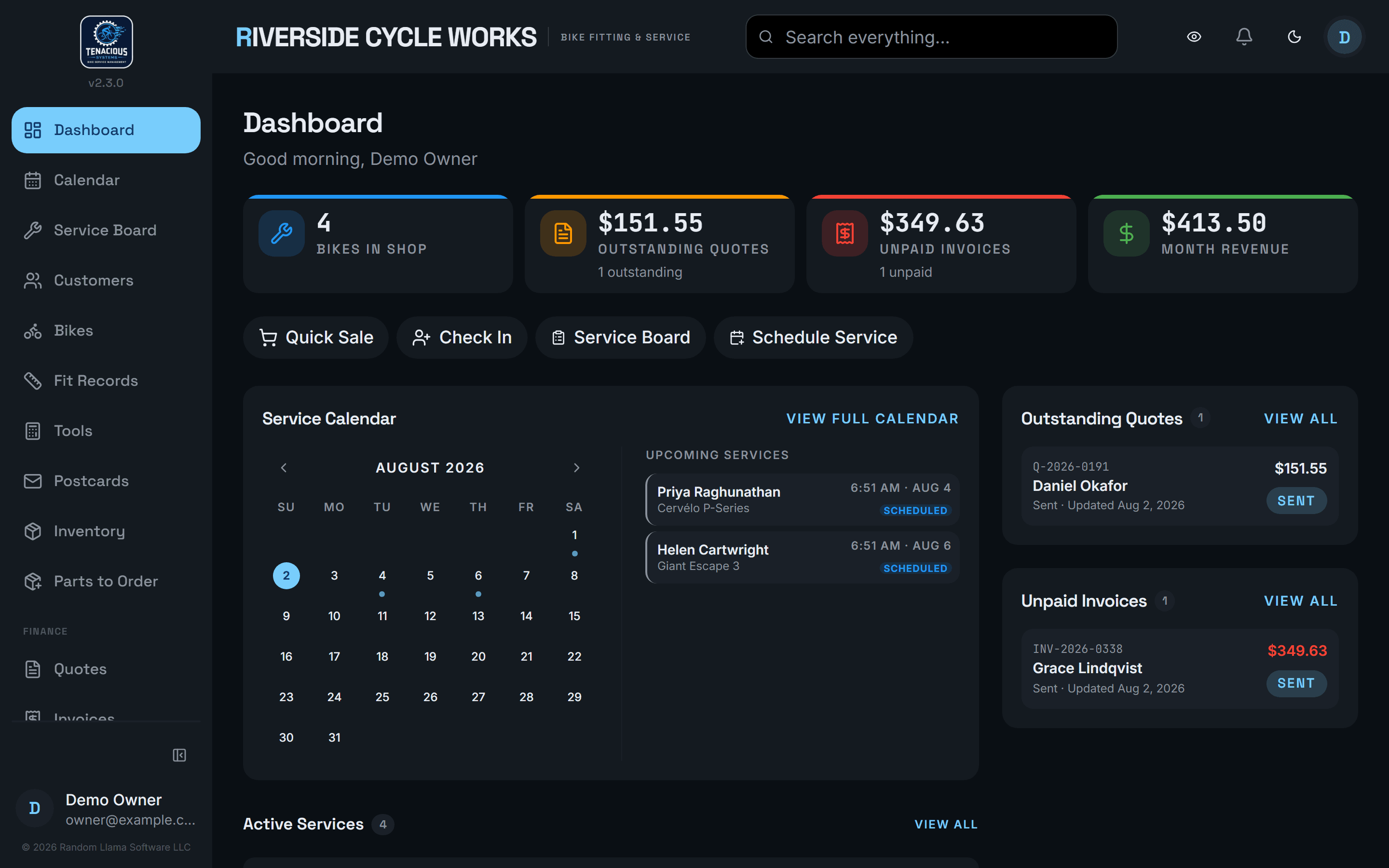
Dashboard
Bikes currently in the shop, outstanding quotes, unpaid invoices, revenue for the month, upcoming appointments and the active job list.
- Start the day knowing where things stand
- Money owed is visible without going looking
Books to check
Choose Match Xero, Send mine to Xero or Leave it. Pending money and customer credit stay visible while discovery failures are retried.
- Reconcile differences deliberately
- Keep unsent payments visible
Phone-camera barcode scanning
The ticket scanner supports repeated scans, +1 and Undo; catalog items can also receive a scanned UPC.
- Add parts at the workstand
- Type worn or unreadable barcodes