Understand the current heat
CPU and GPU temperature, power and activity context share one dashboard, with unavailable readings identified.
- Faster orientation
- Less chart hunting
Windows thermal investigation · Coming soon
Hot PC? Start with the likely suspects.
See which apps are active when your Windows PC heats up. Review likely contributors, investigate past spikes, and check whether a change helped, with your history kept on your PC.
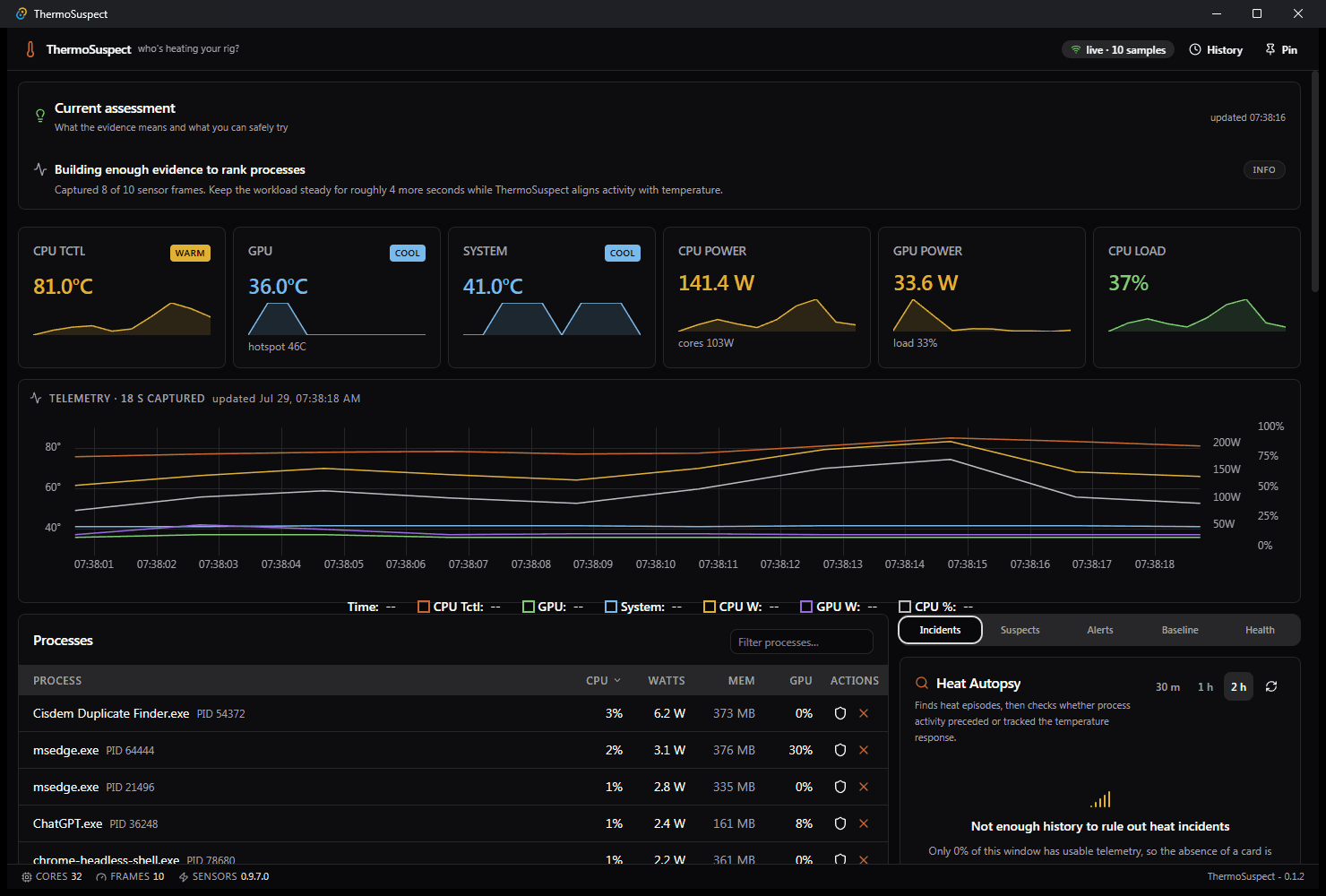
Saved product captures. Prices, example records and interface state are shown as captured; they are not current offers or a live status feed.
When the fans get loud, a temperature reading is only the beginning. ThermoSuspect brings CPU and GPU readings together with running-app activity so you can decide what to investigate next. Start with a plain-language assessment, inspect the evidence behind likely contributors, or revisit a sustained heat episode with Heat Autopsy. If you choose to stop an eligible process, review it first and watch a 90-second before-and-after spot-check. Save your work before stopping anything: unsaved changes can be lost. Thermal associations and spot-checks support an investigation; they do not prove that an app caused the heat.
Hardware support varies. Missing readings and weak evidence stay visible instead of becoming a confident diagnosis. This is an investigation tool, not a fan controller or an automatic cooling fix.
CPU and GPU temperature, power and activity context share one dashboard, with unavailable readings identified.
Inspect associations over the last minute, 30 minutes or two hours. Weak associations remain weak rather than becoming a confident culprit label.
Compare process activity with the preceding baseline. Sparse or conflicting evidence can produce no verdict, so missing information is not mistaken for an answer.
Redacts executable names by default; omits PIDs, paths, usernames, machine IDs, and raw telemetry.
The action checks the selected process identity and protection rules before stopping it. Save your work first: stopping an app can lose unsaved changes. Automatically stopping a reopened instance is a separate opt-in choice. The observed result is supporting evidence, not proof of cause.
Move through the timeline to inspect readings and available process evidence, with throttle markers and activity associations. Detailed incident process evidence covers the recent two-hour window.
The compact window is created when pinned and destroyed when dismissed.
Drag the separators or adjust them with the keyboard. Sizes are remembered, smaller windows adapt, and Reset layout restores the current window's defaults.
Personal baselines add machine-specific context. You choose whether closing the window keeps monitoring in the notification area or quits. Notification delivery also depends on your Windows notification settings.
| Platform | Windows |
|---|---|
| Availability | Coming soon |
| Version | 0.1.5 |
| Source record | October 2026Synchronization date, not a capture or launch date |
| Who it is for | PC enthusiasts · gamers · content creators · power users · IT helpers |
| Tools behind the build | Tauri 2 · Rust · React 19 · TypeScript · Tailwind CSS · .NET 10 · LibreHardwareMonitorLib · SQLite · NVML · PDH · WebView2 |
Recorded update · 2026-10-10 · 0.1.5
The 0.1.5 preview adds remembered panel sizes and targeted memory fixes. It includes the opt-in quiet monitoring introduced in 0.1.4. The local upgrade and installer lifecycle checks passed; extended memory and clean-PC workflow validation remain open.
| July 2026 | Stability, release verification, and clearer insight tabsLong-running telemetry bounds, development sensor lifecycle isolation, release verification evidence, and a wider Live insight tab rail so Incidents/Suspects/Alerts/Baseline/Health labels are not clipped. |
|---|---|
| July 2026 | Production-readiness hardening for investigate · test · verifyFail-closed process identity, live-session reliability, tray freshness, privacy-aware reports, and long-run history performance for the 0.1.2 MSI line. |
Bookmark this page for public availability. The Windows preview is still being validated; there is no purchase or reservation to make today.
Thursdays
Each Thursday: the shop notes and AI daily issues from the last seven days, and one product. Unsubscribe from any issue.